Sessions, retention and notes, with nothing on a ClientOS server.
ClientOS is a quiet practice companion for therapists and wellness professionals. It tracks sessions, shows who has drifted away, and keeps every note encrypted on your iPhone or iPad.
iPhone and iPad today. Mac coming soon. Free during the beta.

Four problems every therapist or wellness pro knows, and what ClientOS does.
Clients drift away without a word. Someone misses a fortnight, then a month, and you only realise when you look back at the diary.
The Clients to Re-engage list surfaces clients last seen 8 to 20 weeks ago, and the Client Retention chart shows what share of last month's clients came back. A warm check-in becomes easy to send.
Session notes are some of the most sensitive records anyone keeps, and they sit in tools run by a company you have never met.
Every client record, note and payment is encrypted on your device with AES-256-GCM. The app makes zero network calls, has no login server and no telemetry. Only you hold the key.
Empty slots and late cancellations eat into the week, and nobody tells you what they actually cost.
The Cancellations & No-Shows report gives your no-show rate and the revenue it costs you. Session Volume & Trends shows how your caseload is moving, so quiet weeks are not a surprise.
Admin eats the evenings. Notes, invoices and statements wait until the clients have gone home, and then take two hours.
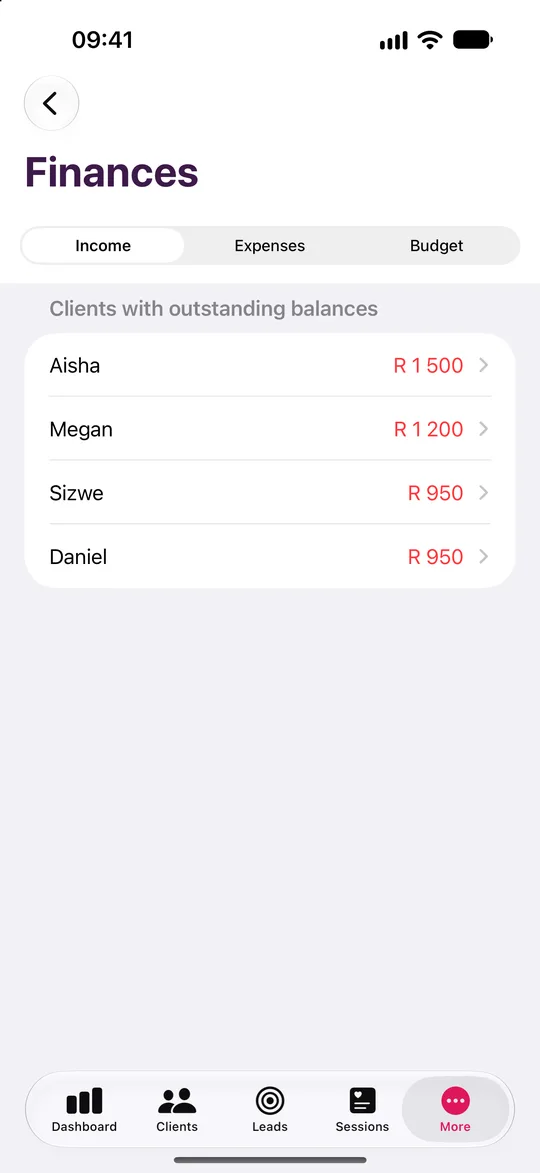
Speak a note after a session and it is transcribed on your device. Branded invoice and statement PDFs come from a Business Profile you set up once, and the payment ledger tracks what is outstanding.
Not someone else's vocabulary.
Pick Therapist or Wellness Pro at setup and every label changes. You track sessions, not deals.
| In the app | What you see |
|---|---|
| The core unit of your work | Sessions |
| Adding work | Add Session |
| The people you see | Clients |
| Current caseload | In Care |
| Revenue per unit | Session Fee / Session Rate |
| Clients who have gone quiet | Clients to Re-engage |
| Month-over-month continuity | Client Retention |
Built around how a therapist or wellness pro works.
Built for recurring work
The dashboard leads with Sessions This Week and In Care, the clients you have seen in the last 8 weeks, not a sales funnel.
A retention trend you can read
See month over month what percentage of last month's clients returned, then act on the Clients to Re-engage list.
Sessions logged in seconds
Choose from Session 45 min, Session 60 min, Couples Session, Initial Assessment or Online Session, each with its fee. Edit the list to suit your modality.
Seven reports, no sales clutter
Monthly Summary, Session Volume & Trends, Cancellations & No-Shows, Income & Outstanding, Client Retention & Follow-up, Session-Type Mix and Client Portfolio.
Quiet by design
No engagement metrics and no upsell nags. It is a focused tool that respects the confidential nature of your work.
Money without the evenings
Payment ledger, expenses, other income, branded PDFs and an on-device budgeting insight with a tax set-aside estimate, all exportable to CSV for your accountant.
Five steps from install to your first report.
Pick Therapist / Wellness Professional at setup so the app speaks Sessions, Clients and Session Fees.
Create a client, or import your existing caseload from CSV, Excel or Contacts.
Tap Add Session, choose a session type such as Session 60 min and record the fee.
Watch Sessions This Week and In Care update, then check the Client Retention trend and Clients to Re-engage.
Open Reports, run Client Retention & Follow-up and export it to PDF.
Pipeline, reports and lessons, tuned to you.
The dashboard leads with Sessions This Week, with clients In Care.
Your pipeline
- Enquiry
- Consultation Booked
- Active Client
- On Hold
- Discharged
Rename and reorder the stages to match how you work.
Your reports
- Monthly Summary
- Session Volume & Trends
- Cancellations & No-Shows
- Income & Outstanding
- Client Retention & Follow-up
- Session-Type Mix
- Client Portfolio
Export to PDF, print or CSV.
Your lessons
- Running Your Practice
- Client Retention
- Pricing Conversations
- Discovery Questions
- Referral Systems
- Difficult Clients
- Lead Generation
- Lead Farming
- Getting More from ClientOS
On-device. Running Your Practice, with crisis-aware safety checks.
Your sessions and your clients stay yours.
Encrypted on your device
AES-256-GCM, with the key derived from your password through PBKDF2 at 600,000 iterations.
No server, no account
ClientOS makes no network calls. There is no ClientOS database holding your clients.
Face ID and a recovery key
Unlock with a glance. A printable recovery key means a forgotten password never loses your book.
Your backups, your iCloud
Encrypted backup files go to your own iCloud Drive, never to us.
A note on scope. Learn lessons pass through a five-layer on-device safety check that includes crisis-aware handling. ClientOS is practice-management software, not a clinical tool.
Therapist or Wellness Pro questions
Yes. Every note and record is encrypted on your device with AES-256-GCM and not stored on any ClientOS server. There is no login server, and only you hold the key.
Try it as a therapist or wellness pro.
Leave your name and email and we will send a free TestFlight invitation. Sample data is included, so you can see how it works for your profession before you add a single client.
- Five professions
- iPhone and iPad, Mac coming soon
- Works offline